MultipleChoiceBlockPicker#
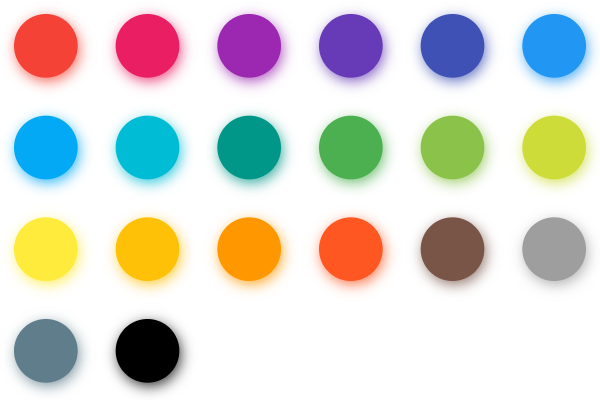
Basic MultipleChoiceBlockPicker
Inherits: LayoutControl
Properties
-
available_colors(Optional[list[ColorValue]]) –A list of available colors to pick from.
-
colors(Optional[list[ColorValue]]) –The currently selected colors.
Events
-
on_colors_change(Optional[ControlEventHandler[MultipleChoiceBlockPicker]]) –Called when the picker colors are changed.
Example#
import flet as ft
from flet_color_pickers import MultipleChoiceBlockPicker


def main(page: ft.Page):
    page.title = "MultipleChoiceBlockPicker"
    page.padding = 20

    def on_colors_change(e: ft.ControlEvent):
        print(f"colors: {e.data}")

    dialog_picker = MultipleChoiceBlockPicker(
        colors=["#03a9f4", "#4caf50"],
        available_colors=[
            "#f44336",
            "#e91e63",
            "#9c27b0",
            "#3f51b5",
            "#2196f3",
            "#03a9f4",
            "#009688",
            "#4caf50",
            "#ff9800",
            "#795548",
        ],
        on_colors_change=on_colors_change,
    )

    dialog = ft.AlertDialog(
        modal=True,
        title=ft.Text("Pick colors"),
        content=dialog_picker,
        actions=[
            ft.TextButton("Close", on_click=lambda e: page.pop_dialog()),
        ],
    )

    page.add(
        ft.IconButton(icon=ft.Icons.BRUSH, on_click=lambda e: page.show_dialog(dialog)),
    )


ft.run(main)
Properties#
class-attribute
instance-attribute
#
available_colors: Optional[list[ColorValue]] = None
A list of available colors to pick from.
class-attribute
instance-attribute
#
colors: Optional[list[ColorValue]] = None
The currently selected colors.
Events#
class-attribute
instance-attribute
#
on_colors_change: Optional[
    ControlEventHandler[MultipleChoiceBlockPicker]
] = None
Called when the picker colors are changed.
The data property of the event handler argument contains
the list of color values as hex strings.